AI Website Builder for Beginners: The Complete Guide

An AI website builder is one of the fastest ways for a beginner to get a professional-looking website online without learning to code or design. Instead of dragging every element into place yourself, you describe what you want, and the AI generates a complete site with pages, text, images, and layout that you can then customize. For anyone who has felt stuck staring at a blank screen, this is a genuine breakthrough. In this complete guide we explain what an AI website builder is, how it works, who it suits, its pros and cons, and exactly how to use one to launch your first website.
Whether you are creating a personal site, a small business page, a portfolio, or a simple landing page, understanding how an AI website builder works will help you decide if it is the right tool for you and how to get the best results from it.
What is an AI website builder?
An AI website builder is a tool that uses artificial intelligence to create a website for you based on a few simple inputs. You answer questions about your brand, your goals, and your style, and the AI assembles a ready-made website with matching design, sample content, and images. From there, you edit anything you like using a simple visual interface. In short, an AI website builder turns the slow, technical process of building a site into a quick, guided conversation, which is why it has become so popular with beginners.
This is different from a blank website builder where you start from nothing, and different again from a content management system like WordPress where you assemble themes and plugins yourself. The defining feature of an AI website builder is that it does the heavy lifting of the first draft for you.
How AI website builders work
The process is refreshingly simple. First, you tell the AI website builder what kind of site you want, such as a bakery, a photography portfolio, or a consulting business, and share a few details about your brand. Second, the AI generates a full website, choosing a layout, color scheme, fonts, sample text, and placeholder images that fit your description. Third, you review the result and customize it with an easy drag-and-drop or click-to-edit interface, swapping in your own text, images, and pages. Finally, you connect a domain and publish. The whole journey can take less than an hour for a basic site.
Behind the scenes, the AI draws on patterns from countless professional websites to make sensible design and content choices, so even a complete beginner ends up with something that looks polished. You remain in control, but you start from a strong first draft instead of an empty page.
AI website builder vs website builder vs WordPress
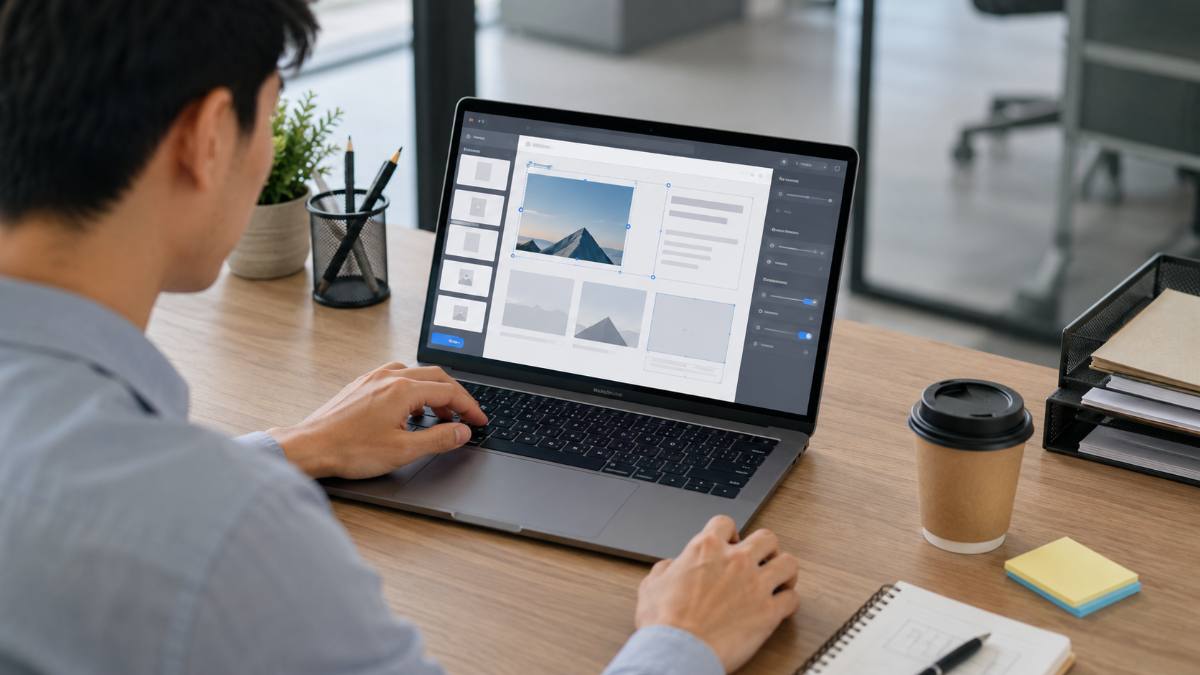
Beginners often weigh three options, so let us compare them clearly.
AI website builder
An AI website builder is the fastest way to launch and the easiest for non-technical users. It generates a complete site for you and is ideal for simple, attractive websites where speed and convenience matter most. The trade-off is that you have less granular control than a full platform offers.
Traditional website builder
A traditional drag-and-drop website builder gives you a blank canvas and templates to design your site by hand. It offers more creative control than an AI builder but takes more time and effort, since you arrange everything yourself.
WordPress
WordPress is the most flexible and powerful option, running a huge share of the web. It is ideal for blogs, content-heavy sites, and projects that need to scale or use advanced features through plugins. The trade-off is a steeper learning curve, which is why many beginners start with an AI builder and move to WordPress as their needs grow.
The right choice depends on your goals: choose an AI website builder for speed and simplicity, a traditional builder for hands-on design control, and WordPress for flexibility and long-term growth.
Who should use an AI website builder?
An AI website builder is not right for every project, but it is an excellent fit for many beginners. You are likely to benefit if you are:
- A small business owner who needs a professional site quickly without hiring a designer.
- A freelancer or creator launching a portfolio or personal brand page.
- A beginner who wants a website online today and feels intimidated by technical tools.
- Anyone testing an idea who needs a simple landing page to validate it fast.
- A busy person who values speed and convenience over deep customization.
If that sounds like you, an AI website builder can take you from idea to a live website in record time.
Key features to look for in an AI website builder
Not all AI website builders are equal. When comparing options, look for these features that make a real difference for beginners.
Quality of the AI generation
The most important feature is how good the generated website looks and reads. A strong AI website builder produces clean layouts, sensible structure, and usable starter content that needs only light editing.
Easy editing
After the AI creates your site, you should be able to change anything with a simple visual editor, ideally drag-and-drop. The easier the editing experience, the faster you can make the site your own.
Mobile responsiveness
Most visitors browse on phones, so your AI website builder should automatically create a site that looks great on mobile as well as desktop.
Built-in hosting and domain
Many AI website builders include hosting and offer a domain, so you can launch everything in one place without juggling separate services. This is especially convenient for beginners.
SEO and speed tools
Look for built-in tools to add page titles, descriptions, and basic SEO settings, plus fast loading, so your site can be found and performs well.
Room to grow
Choose a builder that lets you add pages, features, and even a blog or store as your needs expand, so you are not forced to start over later.
Pros and cons of AI website builders
To decide if an AI website builder is right for you, weigh the trade-offs honestly.
Pros:
- Extremely fast: you can launch a site in under an hour.
- Beginner-friendly: no coding or design skills required.
- Affordable: often cheaper than hiring a designer.
- Professional results: polished layouts and starter content out of the box.
- All-in-one: many include hosting, domain, and editing tools together.
Cons:
- Less control than a full platform like WordPress.
- Generated content still needs personalizing to stand out.
- Advanced features may be limited compared to plugin ecosystems.
- You may outgrow a simple builder as your site becomes more ambitious.
How to build a website with an AI website builder (step by step)
Here is the simple path from idea to live site using an AI website builder:
- Step 1: Choose an AI website builder and start a new project.
- Step 2: Describe your business or idea and answer a few questions about style and goals.
- Step 3: Let the AI generate your website, then review the layout, content, and design.
- Step 4: Edit the pages with the visual editor, adding your own text, images, and branding.
- Step 5: Set up key pages such as home, about, services, and contact.
- Step 6: Connect a domain, check the mobile view, and publish your site.
With a clear idea and your content ready, you can complete these steps in a single sitting.
Best use cases for an AI website builder
An AI website builder shines for certain kinds of projects. Small business websites benefit because owners can launch a credible online presence quickly. Portfolios and personal brand sites are ideal, since creators want a clean, attractive showcase without fuss. Simple landing pages for an event, product, or idea are perfect because speed matters and the page is focused. Local service businesses, consultants, and freelancers also do well, as they mainly need clear information and a way to be contacted. In all these cases, the goal is a polished, professional site without the time or cost of custom development, which is exactly what an AI website builder delivers.
When an AI website builder may not be the best choice
It is just as important to know the limits. An AI website builder may not be ideal if you are building a large, content-heavy blog that needs advanced SEO control, a complex online store with many products and integrations, or a highly customized site that depends on specific plugins or custom code. In those cases, a platform like WordPress usually offers more flexibility and room to scale. Many beginners start with an AI builder for speed and later migrate to WordPress as their project grows, which is a perfectly sensible path. Choosing the right tool for your stage saves time and frustration.
AI website builder vs hiring a designer
Another common question is whether to use an AI website builder or hire a professional designer. Hiring a designer can produce a fully bespoke result, but it costs more and takes longer, which is often overkill for a first website or a simple project. An AI website builder gives you a professional-looking site almost instantly at a fraction of the cost, and you can always invest in custom design later once your idea is proven and your budget allows. For most beginners and small projects, starting with an AI builder is the smarter, lower-risk choice.
Tips to get the best results from an AI website builder
A few simple habits help you get a great site out of any AI website builder. Give the AI clear, specific details about your business and style, because better inputs produce better output. Replace the generated placeholder text with your own authentic content, since personalization is what makes a site stand out and rank. Use high-quality images that match your brand. Keep your navigation simple so visitors find what they need quickly. Add clear calls to action, such as a contact button or signup form. And always preview the mobile version before publishing. With these small steps, your AI-built website will look and perform far better than the default.
Do AI website builders help with SEO?
Many AI website builders include basic SEO tools, letting you set page titles, meta descriptions, and friendly URLs, and they typically produce fast, mobile-friendly sites, which search engines reward. However, ranking still depends on helpful, original content and a clear structure, which is up to you. Think of the AI website builder as giving you a healthy technical foundation, while your words and the value you provide do the real ranking work. If SEO is central to your project, choose a builder with solid SEO settings and focus your effort on quality content.
How much does an AI website builder cost?
Pricing varies, but AI website builders are generally affordable, often bundled with hosting in low monthly plans, especially when you commit to a longer term. Some include a free domain for the first year. As always, check what is included and confirm the renewal price before you buy, since introductory rates are usually lower than renewals. Compared with hiring a designer or developer, an AI website builder is an inexpensive way to get a professional site online, which is part of its appeal for beginners and small businesses.
Recommended AI website builder for beginners
If you want a simple, affordable option that bundles an AI website builder with hosting, a domain, and email, Hostinger is one beginner-friendly choice Hosting Pilot recommends. Its AI tools generate a starter website from a few prompts, and you can edit everything in an easy interface, all inside one dashboard. As with any tool, compare the plan and renewal price against your needs before deciding, but for a fast, low-cost first website it is a practical place to start.
Common mistakes beginners make with AI website builders
A few avoidable errors can hold back an otherwise great AI-built site. The biggest is leaving the generated placeholder content in place; visitors and search engines both reward authentic, specific text, so always personalize it. Another is overcomplicating the design with too many pages or features when a simple, focused site converts better. Some beginners forget to set up basic SEO fields like page titles and descriptions, which the builder makes easy. Others skip the mobile preview, even though most visitors are on phones. And many neglect a clear call to action, leaving visitors unsure what to do next. Avoiding these mistakes turns a decent AI website into a genuinely effective one.
The future of AI website builders
AI website builders are improving quickly, generating better designs, smarter content suggestions, and more useful built-in tools with each update. For beginners, this means the gap between a do-it-yourself site and a professionally designed one keeps narrowing. While AI will not replace thoughtful strategy and original content, it increasingly handles the technical and design heavy lifting, freeing you to focus on your message and your audience. Learning to use an AI website builder well today is a skill that will only become more valuable as these tools grow more capable.
AI website builders for different industries
One strength of an AI website builder is how well it adapts to different fields. Here is how it serves some common ones.
Local services and trades
Plumbers, electricians, cleaners, and similar businesses mainly need a clear, trustworthy site that explains their services and makes it easy to get in touch. An AI website builder generates exactly this kind of focused, professional page in minutes, complete with service sections and a contact form.
Creatives and freelancers
Designers, writers, photographers, and other creatives need an attractive portfolio that showcases their work. An AI website builder produces a clean gallery-style layout you can fill with your best pieces, helping you look professional and win clients.
Coaches and consultants
Coaches and consultants benefit from a site that builds credibility and captures leads. An AI website builder can generate pages for your services, testimonials, and a booking or contact section, giving you a polished presence that supports your business.
Small shops and makers
For small sellers, an AI website builder can create a simple storefront or a showcase that links to where customers can buy. While complex stores may need a dedicated platform, a small maker can get online quickly and start selling or taking orders.
What happens behind the scenes when AI builds your site
It helps to understand, in simple terms, what the AI is doing. When you describe your business, the AI interprets your industry, tone, and goals, then selects a suitable structure, choosing which pages and sections a site like yours typically needs. It picks a coordinated design with colors and fonts that fit your style, drafts starter text for each section, and places sample images. All of this is based on patterns learned from many high-quality websites, which is why the result looks professional. You then refine the draft, but the AI has saved you hours of decisions and setup, giving you a strong starting point instead of a blank page.
Do you own the website an AI builder creates?
A common and important question is whether the website is truly yours. In general, the content you add and your domain belong to you, but the site is hosted on the builder’s platform, so your ability to export or move it depends on the provider. This is why it is wise to choose an AI website builder that lets you connect your own domain and, ideally, gives you a path to grow or migrate later. Owning your domain is especially important, because it means your address and audience stay with you even if you change platforms down the road.
Combining an AI website builder with WordPress
You do not always have to choose one tool forever. A practical strategy for many beginners is to launch quickly with an AI website builder to get online and test their idea, then migrate to WordPress later when they need a blog, advanced SEO, or more features. Some hosts make this easier by offering both an AI builder and WordPress hosting under one account, so you can switch approaches without changing providers. Thinking of your tools as a journey rather than a single permanent choice takes the pressure off your first decision and lets you start today.
How to choose the right AI website builder
With several options available, focus your comparison on what matters for beginners. Check the quality of the generated designs, since that determines how much editing you will do. Make sure the editor is genuinely easy to use. Confirm the builder produces mobile-friendly sites and includes basic SEO controls. Look for bundled hosting and the ability to use your own domain. Consider the pricing, including the renewal rate, and whether there is room to grow into more pages or features. Finally, prefer a provider with responsive support and good tutorials, because help and learning resources make your first build far smoother.
How an AI website builder saves beginners time and money
The clearest benefit of an AI website builder is the time and money it saves. Building a website the traditional way means choosing a platform, learning its tools, selecting and customizing a template, writing every page, sourcing images, and troubleshooting along the way, which can take days or weeks for a beginner. Hiring a professional removes that effort but adds significant cost and waiting time. An AI website builder collapses this entire process into a guided session: the AI handles structure, design, and a first draft of content, so you spend your time refining rather than building from zero. For a small business owner or creator who would rather focus on their work than on web design, this efficiency is the real value. You get a professional result quickly, keep your costs low, and free up time for the parts of your project that actually grow your audience or revenue. As AI tools continue to improve, this advantage only grows, making an AI website builder an increasingly smart first step for anyone bringing an idea online.
Getting started today with an AI website builder
The best way to learn an AI website builder is simply to try one. Start by writing down the purpose of your site in a sentence or two, list the few pages you need, and gather any text, logo, and images you already have. Then open an AI website builder, describe your project, and let it generate your first draft. Spend an hour swapping in your real content, adjusting colors to match your brand, and checking the mobile view. Connect your domain, publish, and you have a live, professional website. From there you can keep improving it over time, adding pages, refining your message, and growing your traffic. Because the barrier to entry is so low, there is no need to wait for the perfect plan; the smartest move is to launch a simple version now and improve it as you learn what your audience responds to. An AI website builder makes that first step easier than it has ever been.
AI website builder FAQ
What is an AI website builder in simple terms?
An AI website builder is a tool that creates a complete website for you from a few prompts about your business and style, then lets you edit it with a simple visual interface. It removes the need to code or design from scratch.
Are AI website builders good for beginners?
Yes. AI website builders are among the easiest ways for beginners to launch a professional-looking site quickly, since the AI handles the first draft and you simply customize it.
Can an AI website builder make a whole website?
Yes. It generates a full website with pages, layout, sample text, and images based on your description. You then personalize the content and design before publishing.
Is an AI website builder better than WordPress?
Neither is universally better. An AI website builder is faster and simpler for small, attractive sites, while WordPress offers more flexibility and power for blogs, stores, and sites that need to scale. Many beginners start with an AI builder and move to WordPress later.
Do AI website builders work for online stores?
Some AI website builders support simple stores, but complex e-commerce with many products and integrations is often better handled by a dedicated platform or WordPress. For a small shop, an AI builder can be enough to start.
How long does it take to build a site with AI?
A basic website can be generated in minutes and customized into a publishable site within an hour, depending on how much content you add. It is far faster than building from scratch.
Do I need any technical skills?
No. AI website builders are designed for non-technical users, with guided setup, visual editing, and no coding required.
Can I use my own domain with an AI website builder?
Yes. You can connect a domain you own or register a new one, often included free for the first year with longer plans, so your site has a professional address.
Can I add a blog to an AI-built website?
Many AI website builders let you add a simple blog section, which is useful for sharing updates and improving SEO over time. If publishing lots of articles is central to your plans, however, a platform like WordPress offers more powerful blogging and SEO tools. For occasional posts, an AI builder’s blog feature is usually enough to start.
Will an AI website look generic?
It can if you leave everything at the defaults, but that is easy to avoid. By replacing the placeholder text with your own voice, adding your real images, and adjusting colors to match your brand, you make the site distinctly yours. The AI gives you a strong starting point; your personalization is what makes it unique.
Is an AI website builder safe and secure?
Reputable AI website builders run on secure hosting with SSL included, so your site loads over a safe HTTPS connection. As with any platform, choose a well-established provider, use a strong password, and keep your account secure. The provider handles most of the technical security for you.
Putting it all together
You now understand what an AI website builder is, how it works, who it suits, and how to use one to launch a website fast. The big takeaway is that you no longer need design or coding skills to get a professional site online. Describe your idea, let the AI create a first draft, personalize it with your own content and brand, and publish. Choose a builder with good design quality, easy editing, mobile support, and room to grow, and remember that you can always move to a more powerful platform like WordPress later. With an AI website builder, the fastest path from idea to a live, professional website is right in front of you, so there is no reason to wait.
Are AI website builders worth it in 2026?
For most beginners and small projects, yes. An AI website builder gives you a professional, mobile-friendly website quickly and affordably, without design or coding skills. As the technology keeps improving, the quality of generated sites continues to rise, making AI website builders an increasingly smart and low-risk way to get your idea online and start growing.
Related guides for beginners
Want to go further? These guides build on what you have learned about AI website builders:
- Hostinger AI Website Builder review
- AI website builder vs WordPress
- How to build a website with Hostinger
- Web hosting for beginners: the complete guide
Final thoughts on AI website builders
An AI website builder is one of the most beginner-friendly ways to bring an idea online. It removes the blank-page problem, handles design and structure for you, and gets a polished website live in a fraction of the time and cost of traditional methods. It is not the right tool for every project, but for personal sites, small businesses, portfolios, and simple landing pages, it is hard to beat for speed and simplicity. Start with a clear idea, personalize the generated content, keep your design focused, and you can launch a professional website today, then grow it as your goals expand.